What you can evaluate before installing
See the working, not just the brochure.
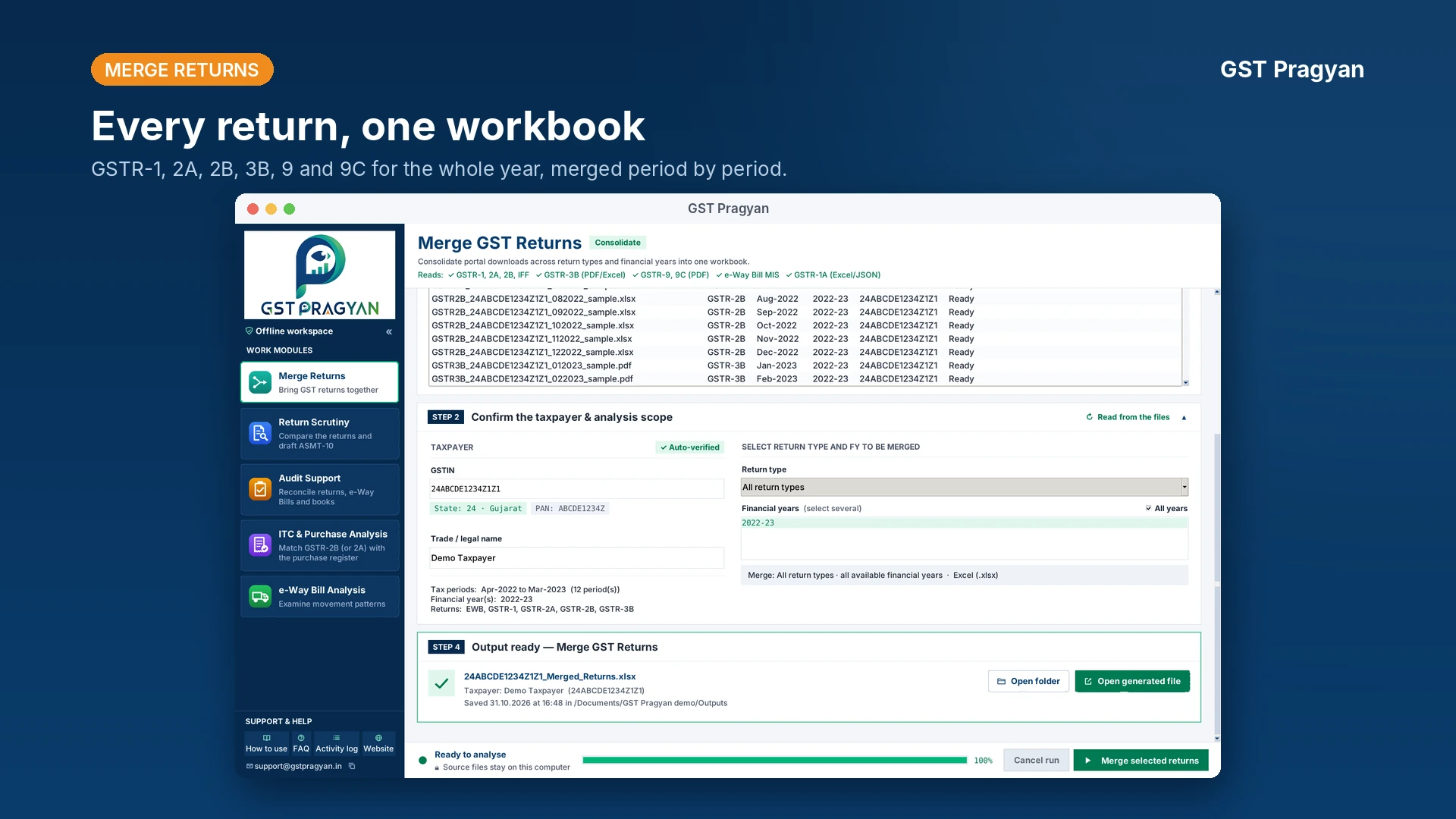
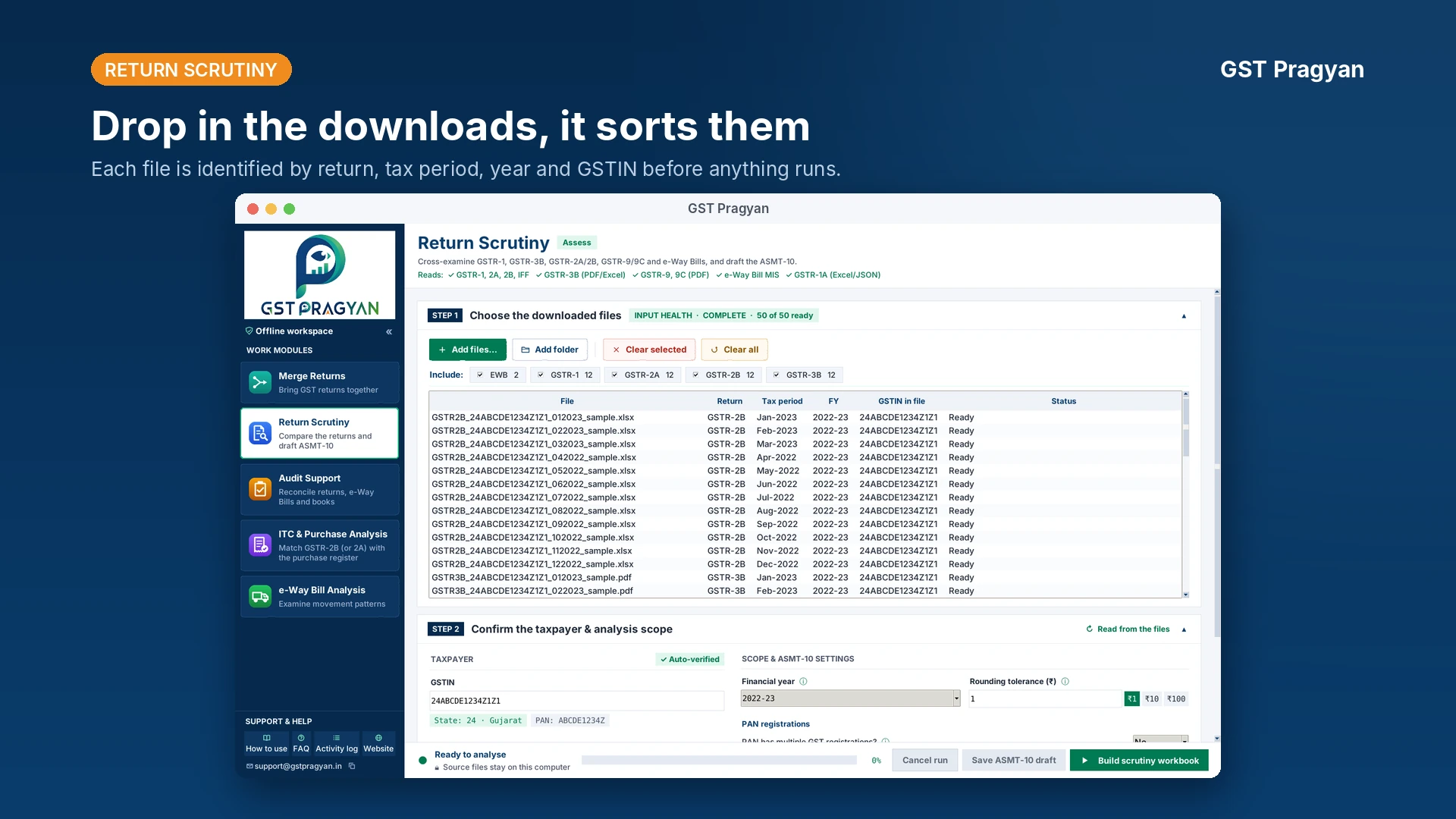
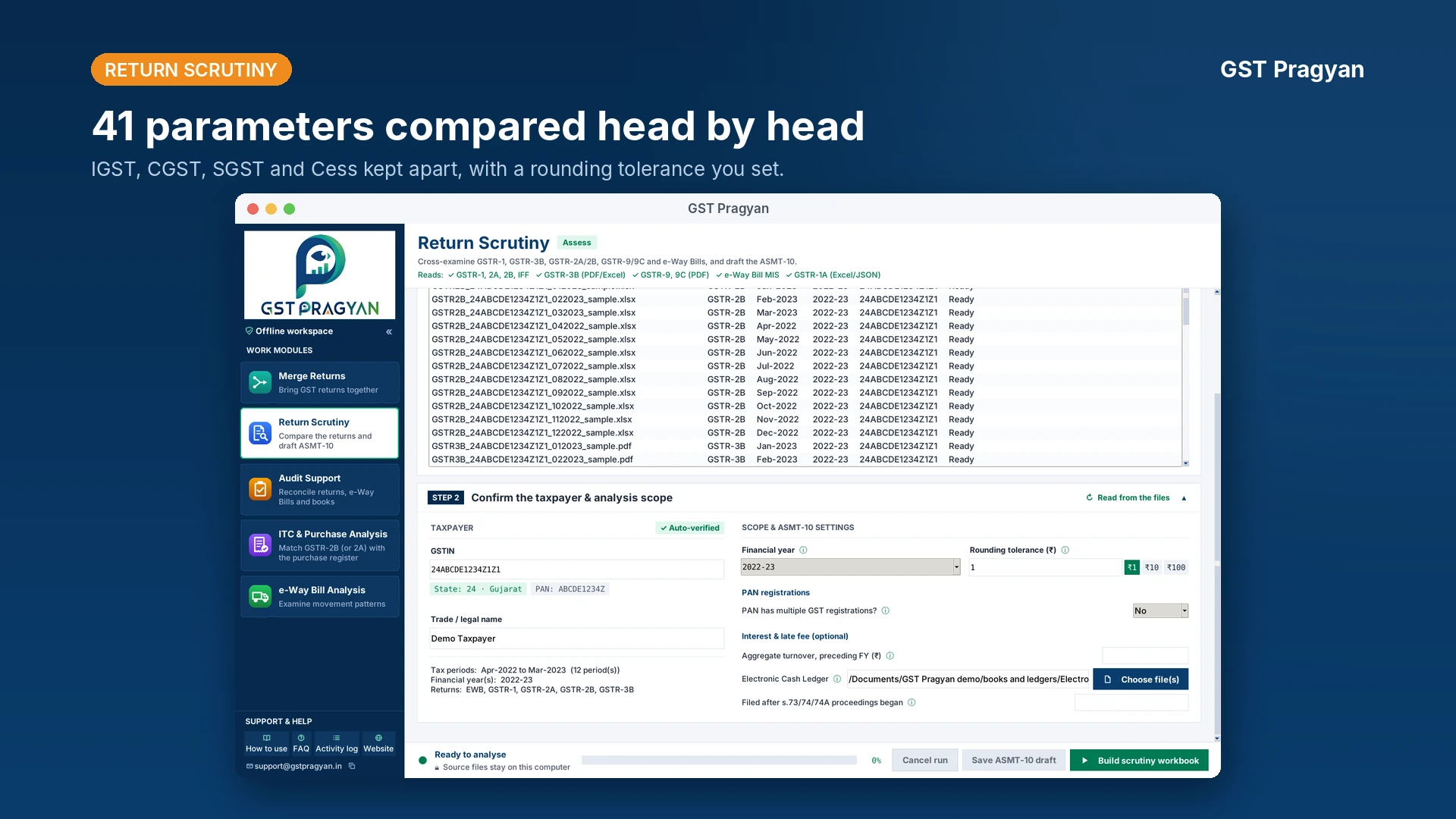
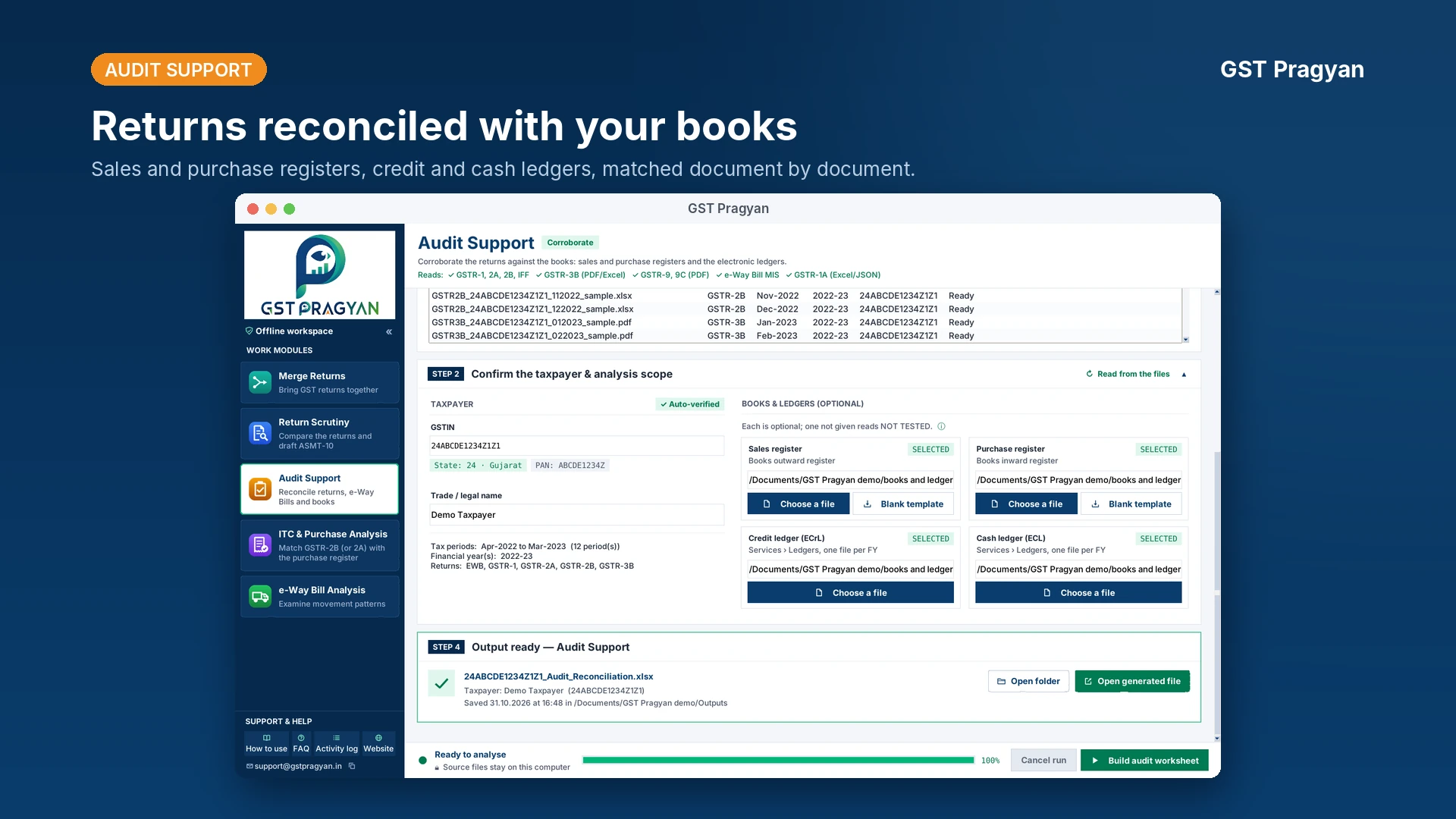
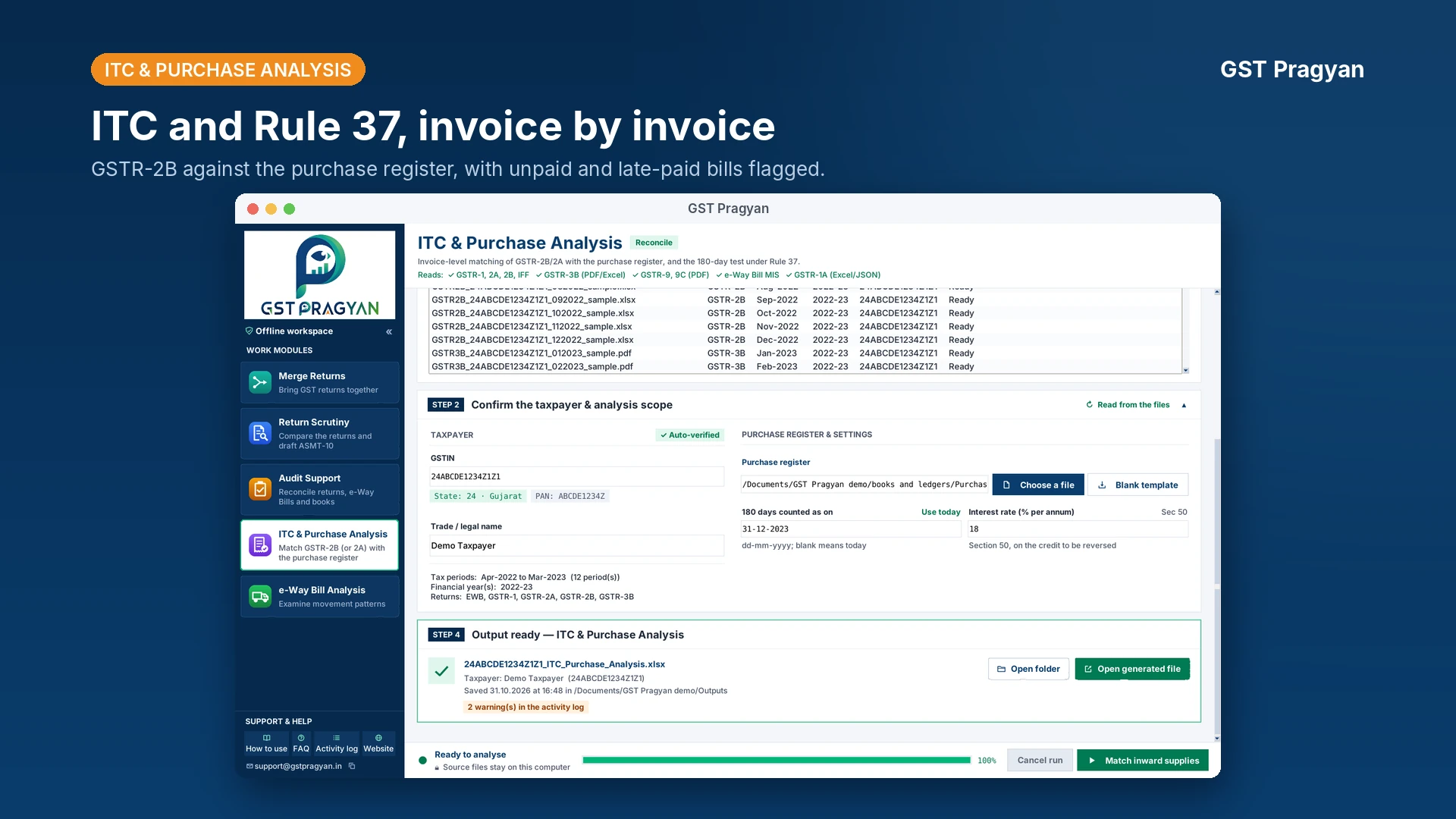
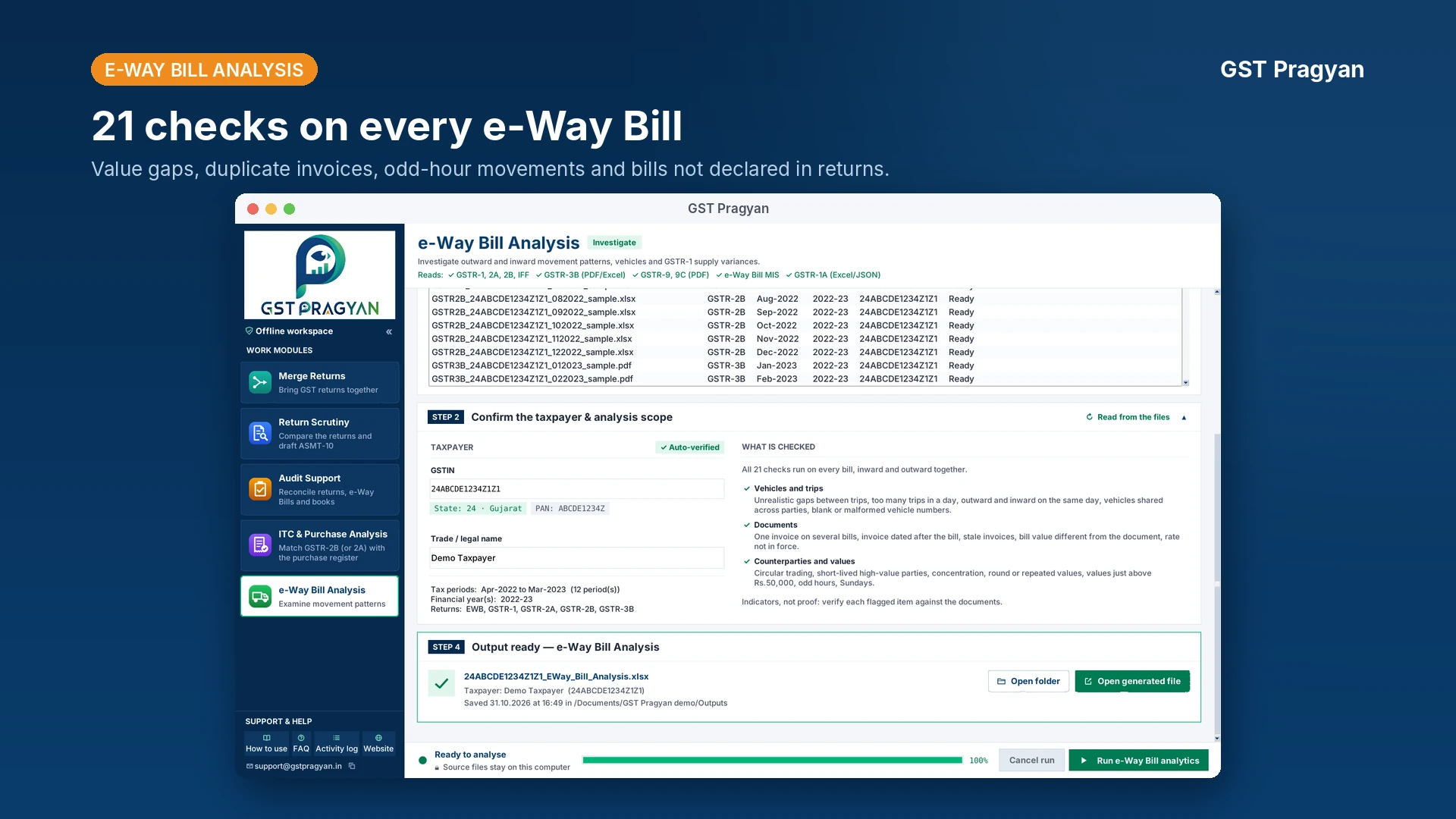
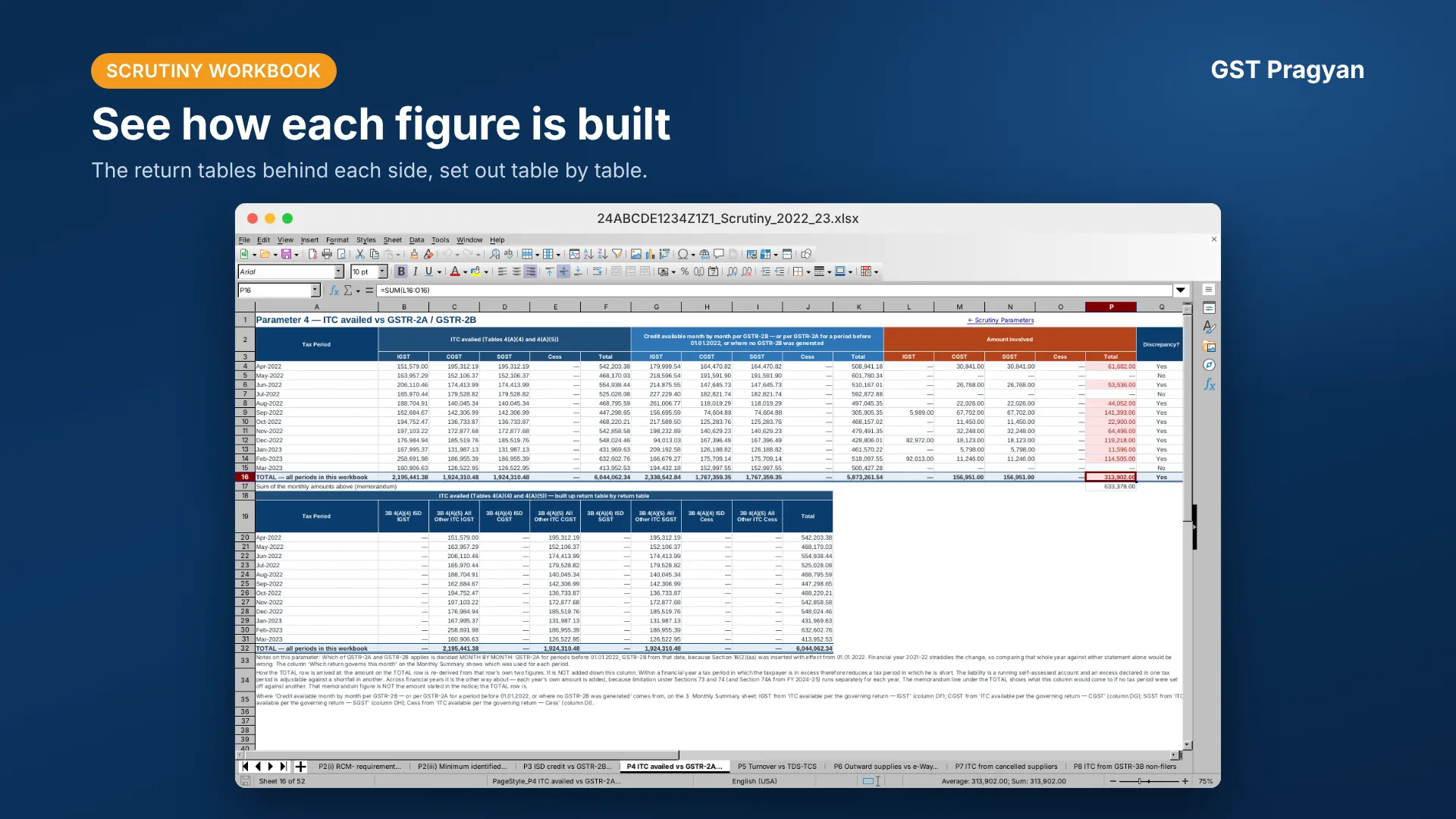
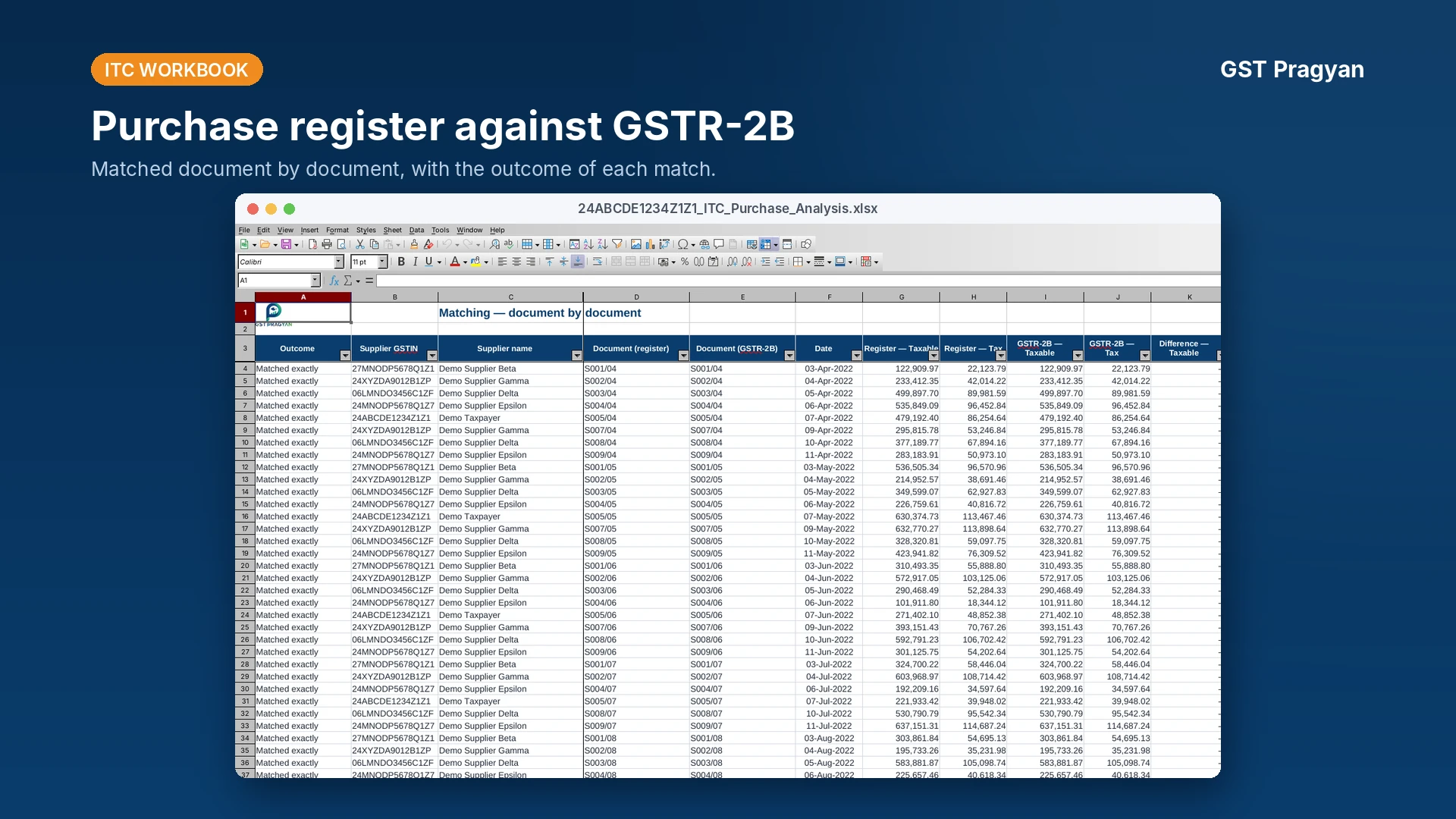
Use the workspaces, screenshots, workflow, the list of checks and the output description on this page to see how the application handles downloaded GST data before you install it.
InputDownloaded GST return and e-Way Bill files
ProcessingMerge, reconcile invoice-wise and run return-based checks
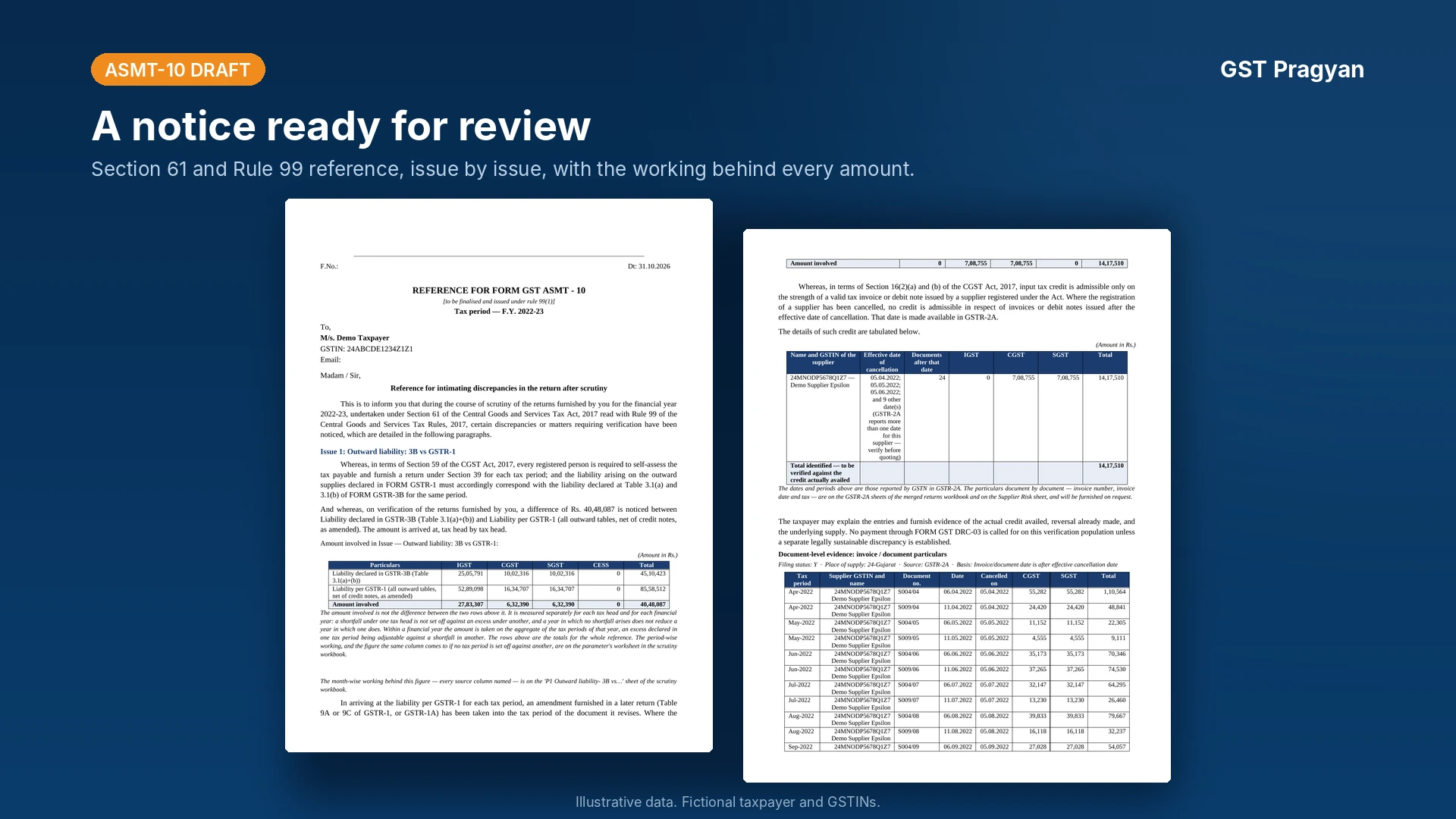
OutputConsolidated data, audit reconciliation papers, working papers and reference drafts
Versionv1.5.0
Released8 November 2026
Release stageOpen beta
PlatformWindows 10 (1809 or later), Windows 11
Licence feeNone · no account required
The version number of the build you are using is shown in its title bar, for example "GST Pragyan v1.5.0". Please quote it when reporting a problem.
Release notes and version history
Release notes
Version 1.5.0 8 November 2026
- Faster: return PDFs are now read only once, so loading a year’s returns takes about half the time, and a second build in the same session is faster still.
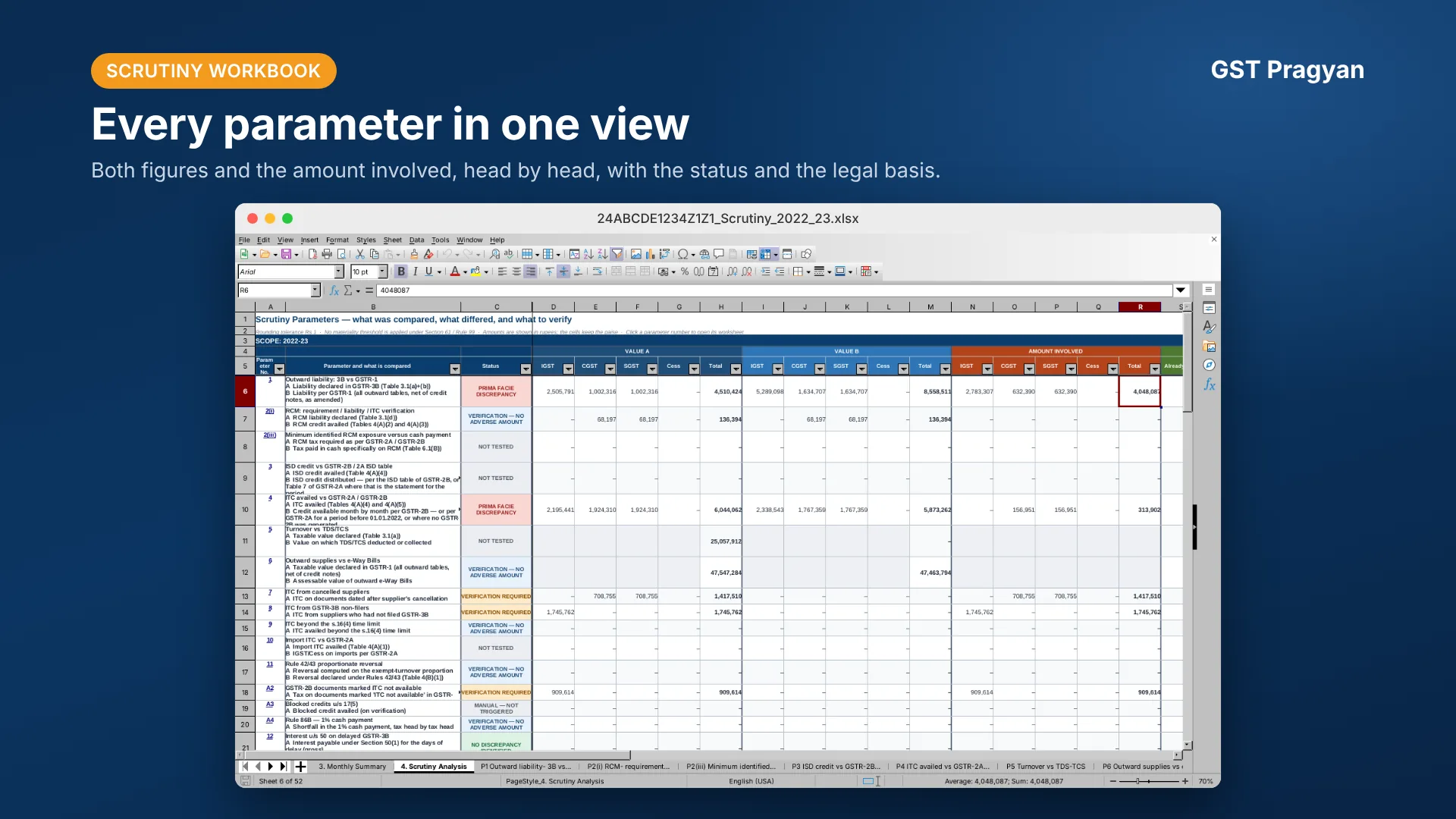
- Scrutiny workbook: a simpler, cleaner layout. Each parameter’s figures are shown head by head (IGST, CGST, SGST, Cess), so they are easier to read and check.
- e-Way Bill analysis: now reports the correct number of bills scanned.
- Rule 86B: the 1% cash payment is now checked separately for each tax head. The basis is explained on the parameter sheet so you can judge it before relying on the figure.
Version 1.4.0 2 November 2026
- Fixed a number of small bugs.
- Fresh new look: a cleaner, easier-to-use screen layout.
Version 1.3.9 28 October 2026
- Fixed a number of small bugs.
Version 1.3.7 26 October 2026
- Fresh new look: a cleaner, easier-to-use screen layout.
- 0.1% rate check: two new parameters verify supplies made, and purchases received, at the 0.1% merchant-exporter rate (A31 and A32).
- Incomplete GSTR-2B alert: Pragyan now warns you when only part of a large GSTR-2B download has been loaded.
- Better accuracy and speed: sharper accuracy, small bugs fixed, and faster processing.
Version 1.1.0 18 October 2026
- Fixed a number of small bugs.
- The application now runs faster.
Version 1.0.0 22 September 2026
- First public release, through the Microsoft Store, in a testing phase with a controlled release.
The 41 checks
What each parameter compares, the provision it rests on, and what should be verified
before anything is concluded from it. Every check reports a difference that needs an
explanation. None of them is a finding, a demand or evidence of evasion on its own, and
each tax head is tested separately. In the ASMT-10 reference draft, results are kept apart
as quantified, needing verification first, or information only.
41 checks in version 1.5.0. Each number matches the worksheet used by the application.
Outward supplies and liability6 checks
Merchant exporter concession at 0.1%2 checks
Input tax credit10 checks
Reverse charge and Input Service Distributor3 checks
Reversals and the cash-payment restriction3 checks
Interest and late fee4 checks
Annual return and reconciliation statement4 checks
Document and reporting anomalies7 checks
Context only, not a demand2 checks
Scope. The checks read only the returns and statements loaded into the application. Books, invoices, contracts and payment records can explain or remove a difference, and must be examined before any conclusion. Where a legal position depends on the period, the reference pages on this site give the position for each period.
Illustrative working-paper formatWhat a useful output should tell you
FindingITC mismatch for Apr 2025
SourceGSTR-3B and GSTR-2B
Amount₹1,24,800, tax head shown separately
ActionVerify invoices and reconciliation before conclusion
This example is illustrative. It is not an extract from a taxpayer's data or a statutory conclusion.
System requirements
- Operating system, Windows 10 version 1809 or later, or Windows 11.
- Installation, through the Microsoft Store, which also delivers updates. An internet connection is needed only to install or update.
- Working, entirely offline. Returns, workbooks and drafts are processed and saved on the computer.
- Files, the portal downloads themselves (Excel, JSON, PDF, or the ZIP files containing them).
How it works
It reads what the portal gives you
Excel, JSON and PDF downloads, as downloaded. ZIP files can be added without
unpacking them first. Columns are matched by their heading rather than their position,
so a change to the portal export cannot silently cause the wrong column to be read.
Your return data stays on the computer
There is no account, no sign-in and no upload. The returns loaded and the workbooks
written stay on the machine it runs on. The application makes no network calls of its
own: no update check, no telemetry. Two links under Support & Help hand off to another
program when you click them, and neither carries any return data: gstpragyan.in
opens your browser, and the support@gstpragyan.in address opens a new message in
your mail client with only the application's name and version in the subject.
How to use and FAQ open help inside the application. See the
privacy policy.
Every figure is traceable
Each worksheet states the source of each column and the provision the test rests on.
A figure in the draft notice can be followed back to the row it came from.
The statutory position is dated
Late fee, interest and time limits are applied as they stood for the tax period
being examined, not as they stand today. The notification behind each is recorded.
The demand provision follows the year too: Sections 73 and 74 up to FY 2023-24, and
Section 74A from FY 2024-25, which replaces both whether or not fraud is alleged and
runs forty-two months to the notice with twelve months from the notice to the order.
See limitation.
What it will not do
It does not decide anything. Every figure is a starting point for
examination. Nothing produced should be issued without being checked against the
record.
It cannot see what is not in the returns. Whether a supply is
correctly classified, whether credit was used for business, whether an e-Way Bill
represented a taxable supply: none of that is in the data. Where a question cannot be
answered from the returns, the output says so instead of guessing.
It is not a substitute for the record. Books, invoices and ledgers
settle questions the returns cannot.
Questions
What does it cost?
Nothing. There is no licence fee, no paid version and no account.
What do I need to run it?
A Windows computer running Windows 10 version 1809 or later, or Windows 11. An internet
connection is needed only to install or update it through the Microsoft Store, not for
any of the work it does.
Does my data go anywhere?
No. Returns loaded and files written stay on the machine, and the application makes
no network calls of its own. The only outbound actions are the gstpragyan.in link and
the support@gstpragyan.in address under Support & Help, which open your browser or
mail client when you click them and carry no return data.
Which returns does it read?
GSTR-1, GSTR-3B, GSTR-2A, GSTR-2B, GSTR-9, GSTR-9C, IFF, GSTR-1A and the e-Way Bill MIS
report. GSTR-3B is read from the PDF or Excel; GSTR-9 and GSTR-9C from the PDF; GSTR-1A
from Excel or JSON; GSTR-1, GSTR-2A, GSTR-2B, IFF and the e-Way Bill MIS report as
downloaded.
Does it read GSTR-1A?
Yes, from the Excel or JSON download. The portal's summary PDF of GSTR-1A carries table
totals and no invoice rows, so it is not the file to add. A GSTR-1A filed for a period is
already reflected in that period's GSTR-3B.
Can it handle more than one year?
Yes. Several years can be loaded together, and the workbook carries each year
separately as well as a combined view. Years are never set off against one another.
Can it handle more than one GSTIN?
No. One registration per workbook, and a second registration needs its own run. The
application does ask whether the PAN holds more than one registration, but that is a
disclosure recorded on the dashboard because it bears on aggregate turnover; it does
not combine registrations into one working file.
Is the draft notice ready to issue?
No, and it is not meant to be. It is a reference draft. Every figure needs checking
against the record, and the internal page of officer notes has to be removed before
anything is issued.
Something looks wrong. What should I do?
Please tell us through the report a problem form, or write to
support@gstpragyan.in,
the same address shown under Support & Help in the application. Mention the version number from the title bar. Most of what has been fixed was found this way.
How do I update it?
Updates are delivered through the Microsoft Store, like any other Store app. The version number of the build you are using is shown in its title bar, and the current release is listed on this page.
Does it work on a Mac or a phone?
No. It is a Windows application and needs Windows 10 version 1809 or later, or Windows 11. The reference pages and calculators on this website work in any browser, including on a phone.
Is it an official government tool?
No. GST Pragyan is an independent working and reference tool. It is not an official government website or a government-affiliated service, and its output is a starting point for examination, not a determination.
How do I get it?
GST Pragyan Desktop is in open beta, and anyone can download it from the Microsoft Store, free of charge. If the Store does not offer installation on your device, contact support@gstpragyan.in.
What does open beta mean?
The application is available to everyone, but testing continues. Problems reported by users are fixed in later versions, so please check the output against the source before relying on it, and use the report an issue form when something looks wrong.